AI for Excel & Word: Practical Guides
Real workbook and document examples, useful formulas, and repeatable workflows with GetSheetAI.
Start here
AI for Excel: Clean Data, Write Formulas and Build Reports
See how GetSheetAI works inside Excel: describe a task, clean existing data, write working formulas and create linked reports. Includes real examples and setup steps.
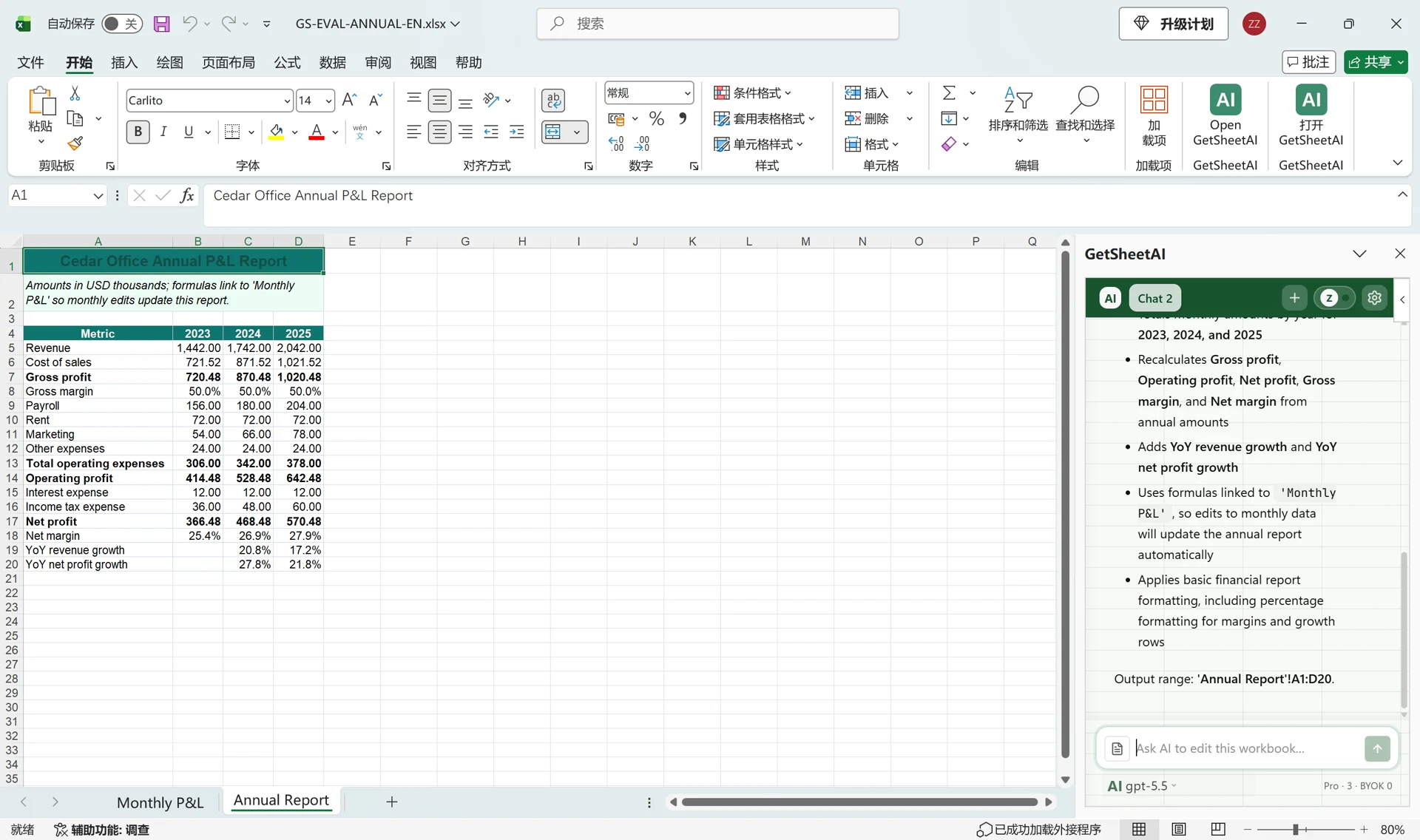
AI for Excel: Turn 36 Monthly Columns into an Annual Report
Build an annual Excel report from 36 monthly columns with GetSheetAI. Real screenshots show yearly totals, profit margins, growth and formulas that update with the source.
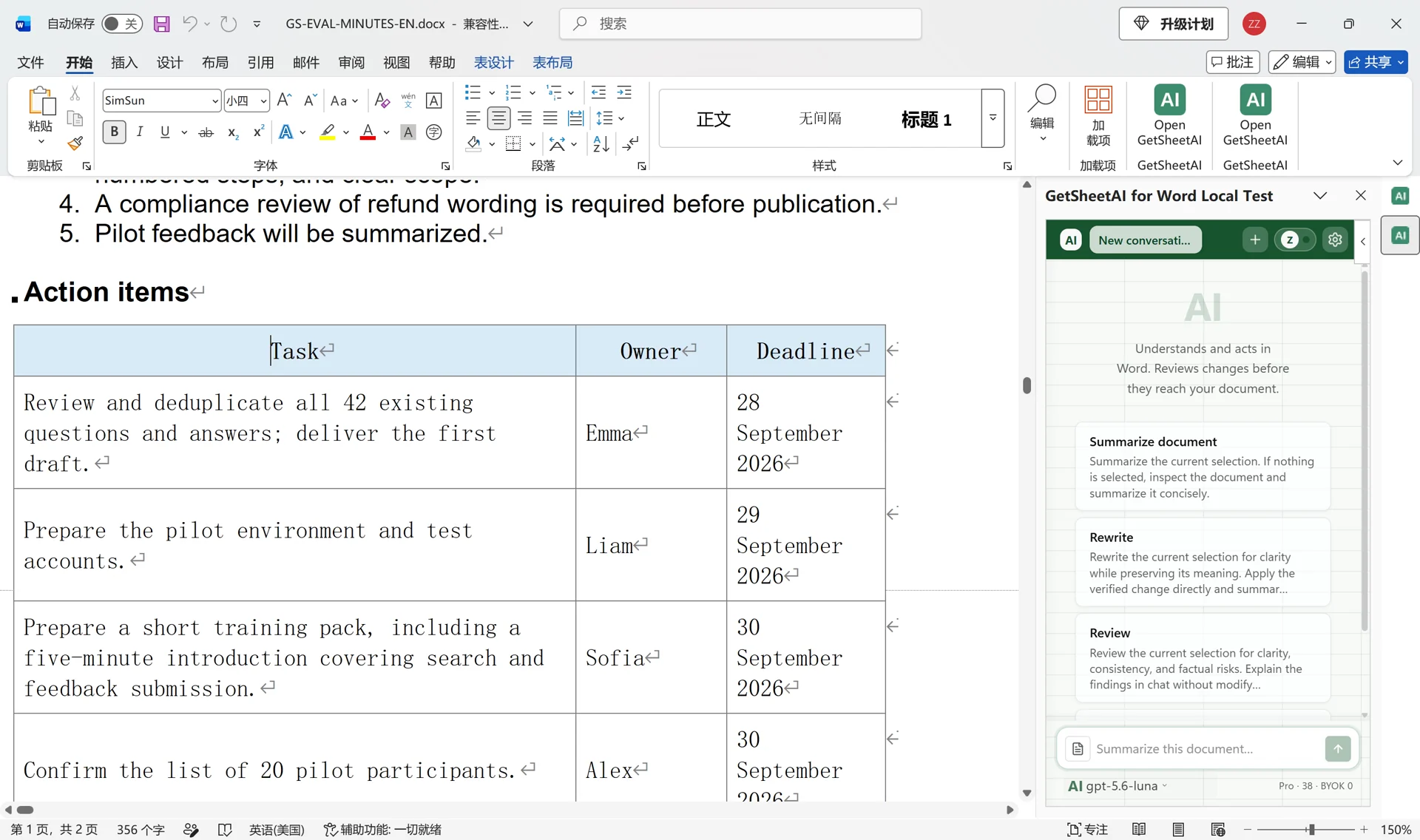
Create Meeting Minutes in Word with AI: Notes to Actions
Turn rough meeting notes into editable Word minutes with GetSheetAI: decisions, an action-items table, owners, deadlines, and clearly marked open questions.
More guides and cases
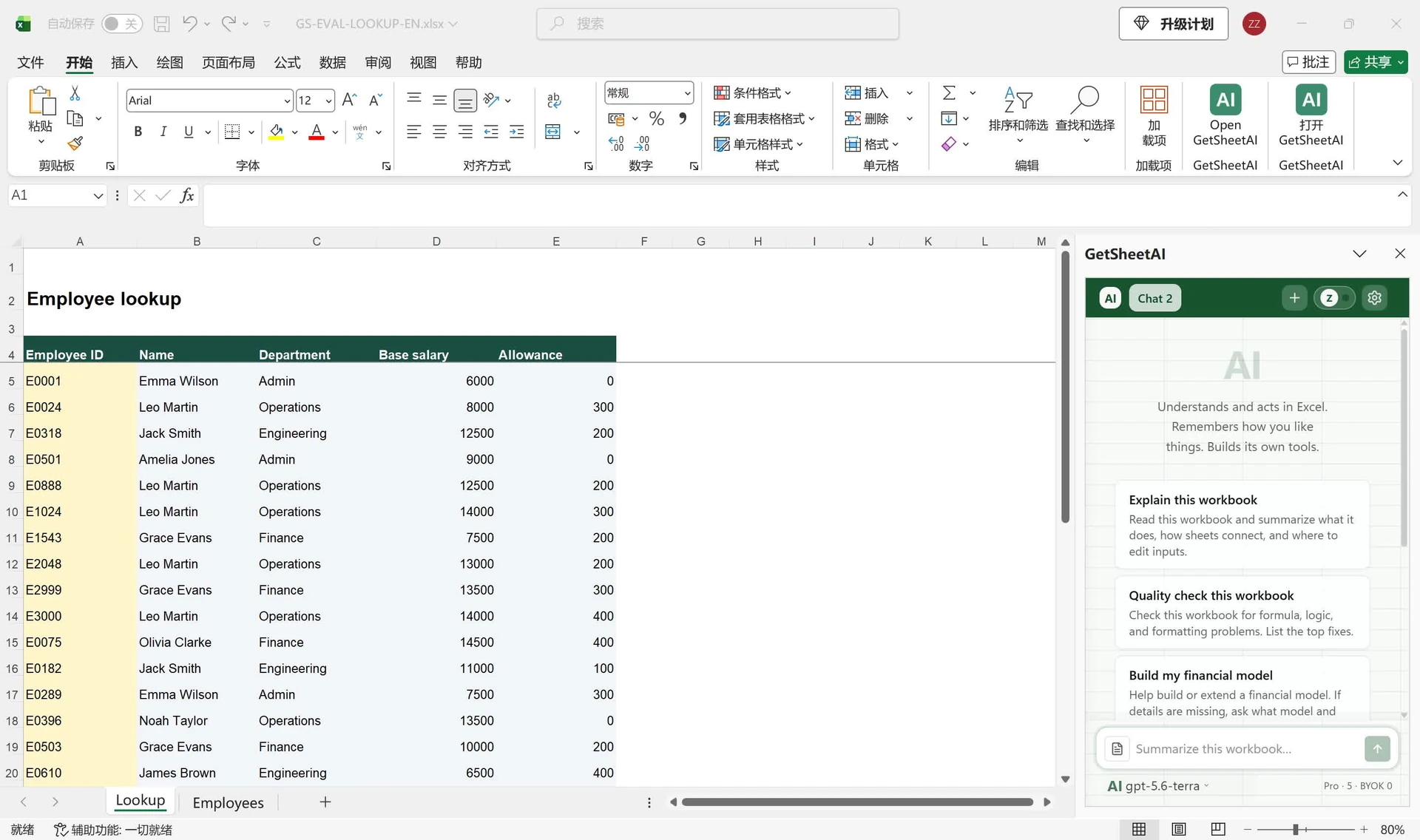
Excel Lookup by Column Header: A Dynamic Employee Report
Look up Excel data by employee ID and column header. See how GetSheetAI builds 120 formula cells from 3,000 records, with real screenshots and a reusable prompt.
AI for Excel: Turn 36 Monthly Columns into an Annual Report
Build an annual Excel report from 36 monthly columns with GetSheetAI. Real screenshots show yearly totals, profit margins, growth and formulas that update with the source.
How to Convert Text to Dates in Excel Without Mixing Up Day and Month
Convert text dates in Excel with DATEVALUE, explicit date components, or Power Query locale settings. Learn to flag ambiguous and invalid dates while preserving the original data.
How to Compare Two Excel Sheets for Differences
Compare Excel sheets by a unique ID to find changed values, added rows, and missing records. Follow a worked example, handle duplicates, and use a scoped AI prompt.
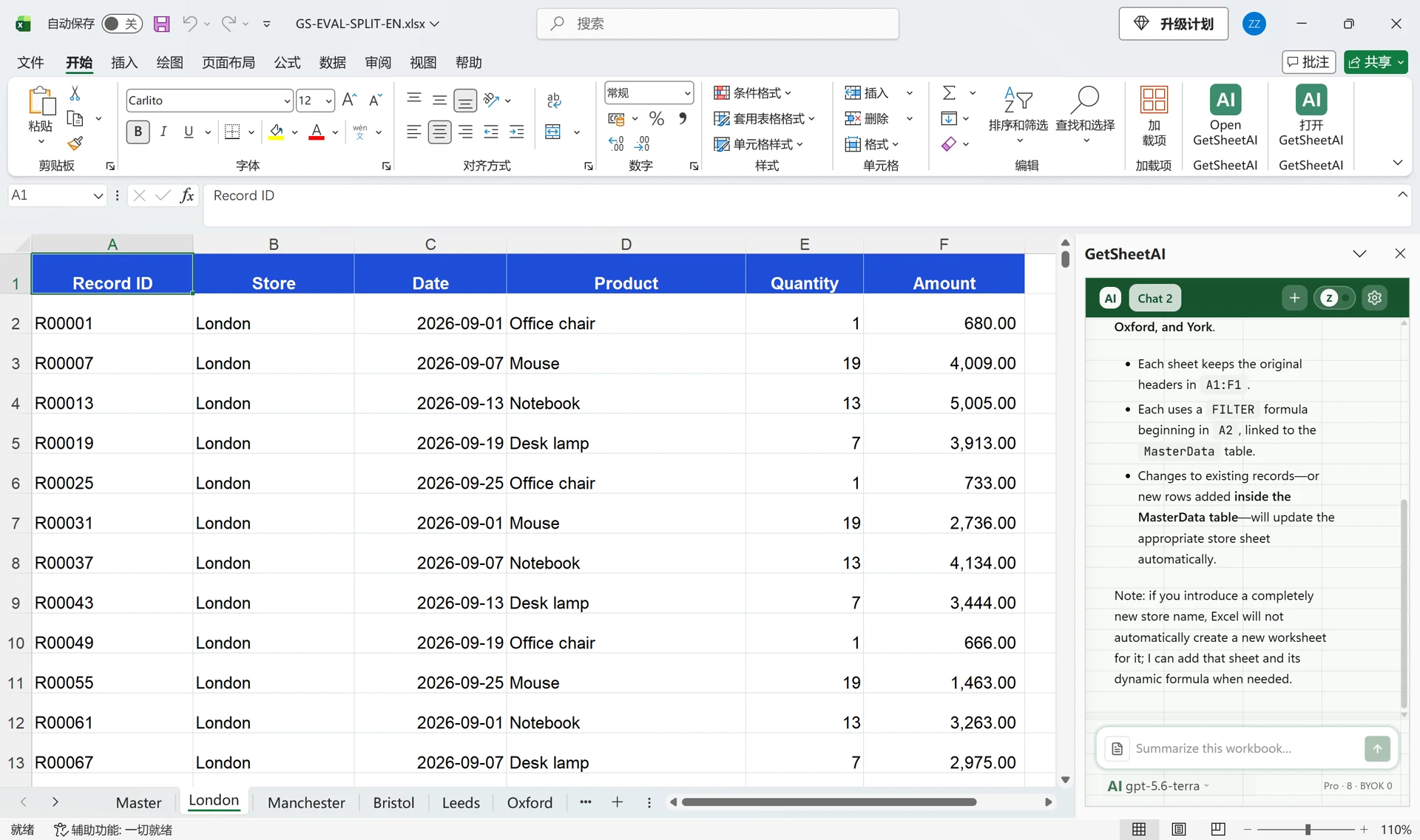
Split Excel Data into Separate Sheets with AI: 5,000 Rows
Split 5,000 Excel rows into six store worksheets with GetSheetAI. Keep headers, link the results to the master table, and update them when records change.
GetSheetAI vs GPT for Work vs Claude for Excel: Feature Comparison
Compare Excel AI capabilities, from formulas and pivot tables to model choice and recovery. See where GetSheetAI fits, with documented features and practical workbook examples.
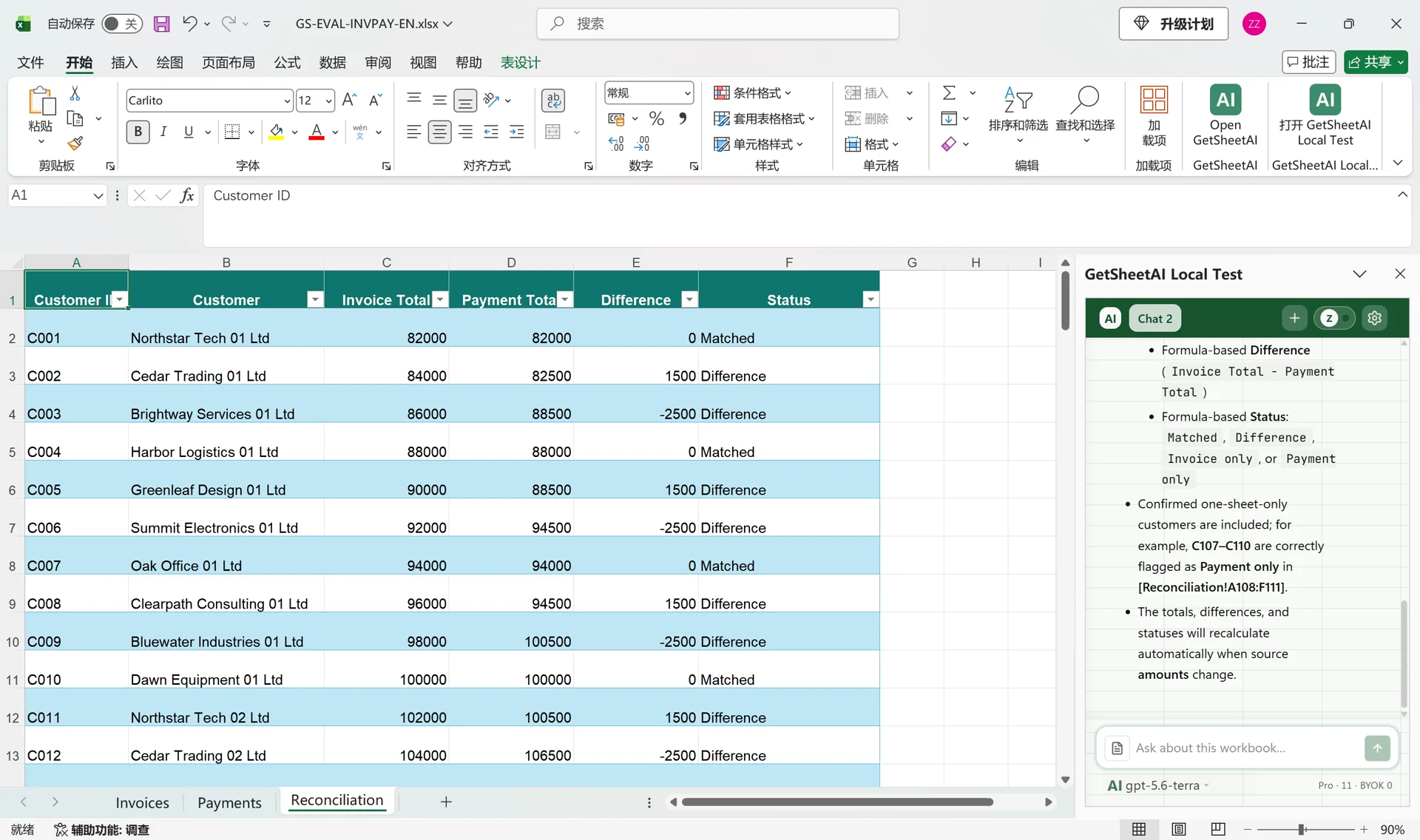
Reconcile Invoices and Payments in Excel with AI
Turn 4,000 invoice and payment rows into a filterable Excel reconciliation table with GetSheetAI: 110 customers, SUMIFS totals, and live differences.
Create Meeting Minutes in Word with AI: Notes to Actions
Turn rough meeting notes into editable Word minutes with GetSheetAI: decisions, an action-items table, owners, deadlines, and clearly marked open questions.
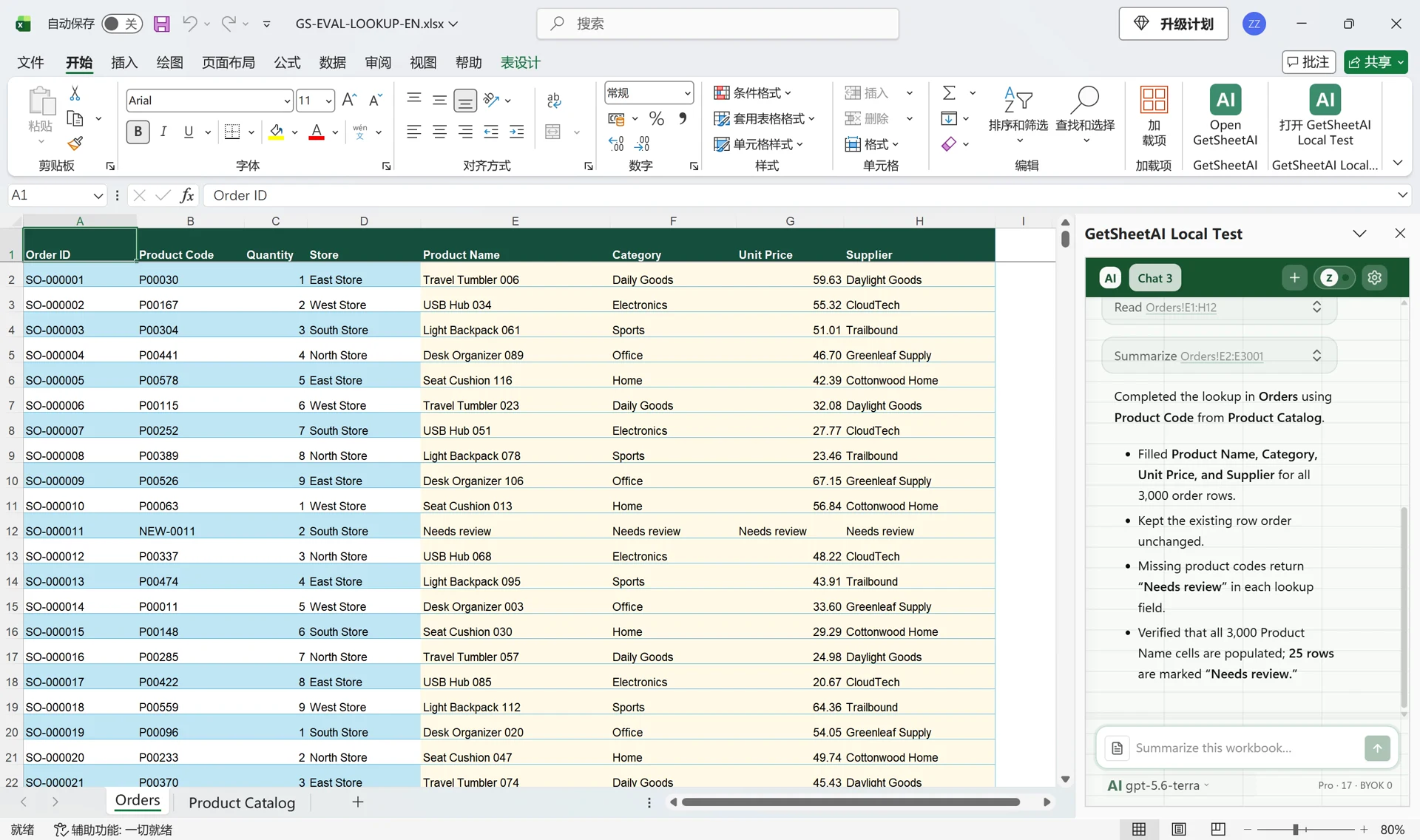
Match Four Columns Across 3,000 Excel Orders with AI
Use GetSheetAI and GPT to match 3,000 orders to a product catalog, fill four columns, and flag missing product codes without writing lookup formulas yourself.
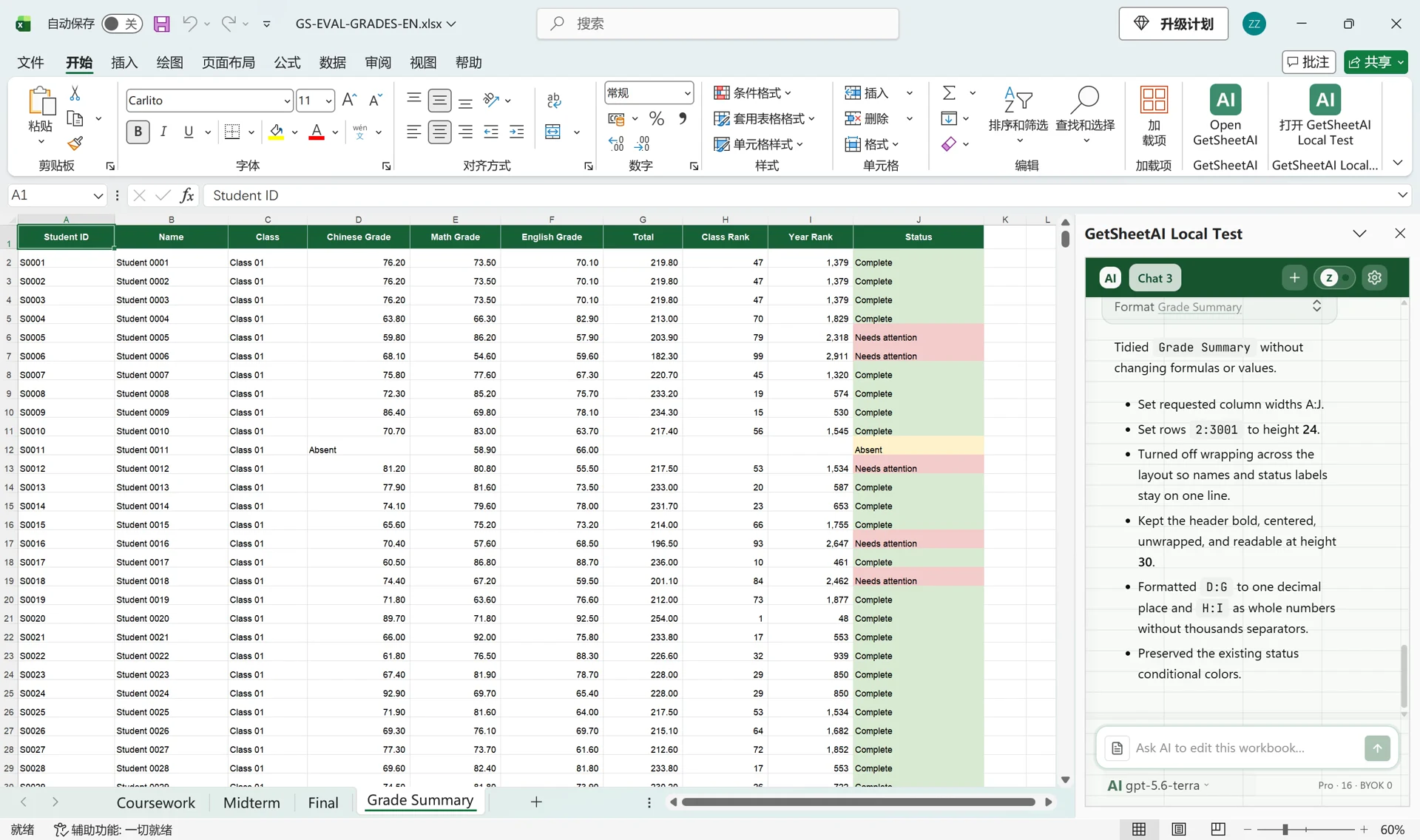
Calculate Weighted Grades and Rankings for 3,000 Students in Excel with AI
A real GetSheetAI Excel demo: match three grade sheets by student ID, apply 20/30/50 weighting, calculate class and year ranks, and label missing exams.
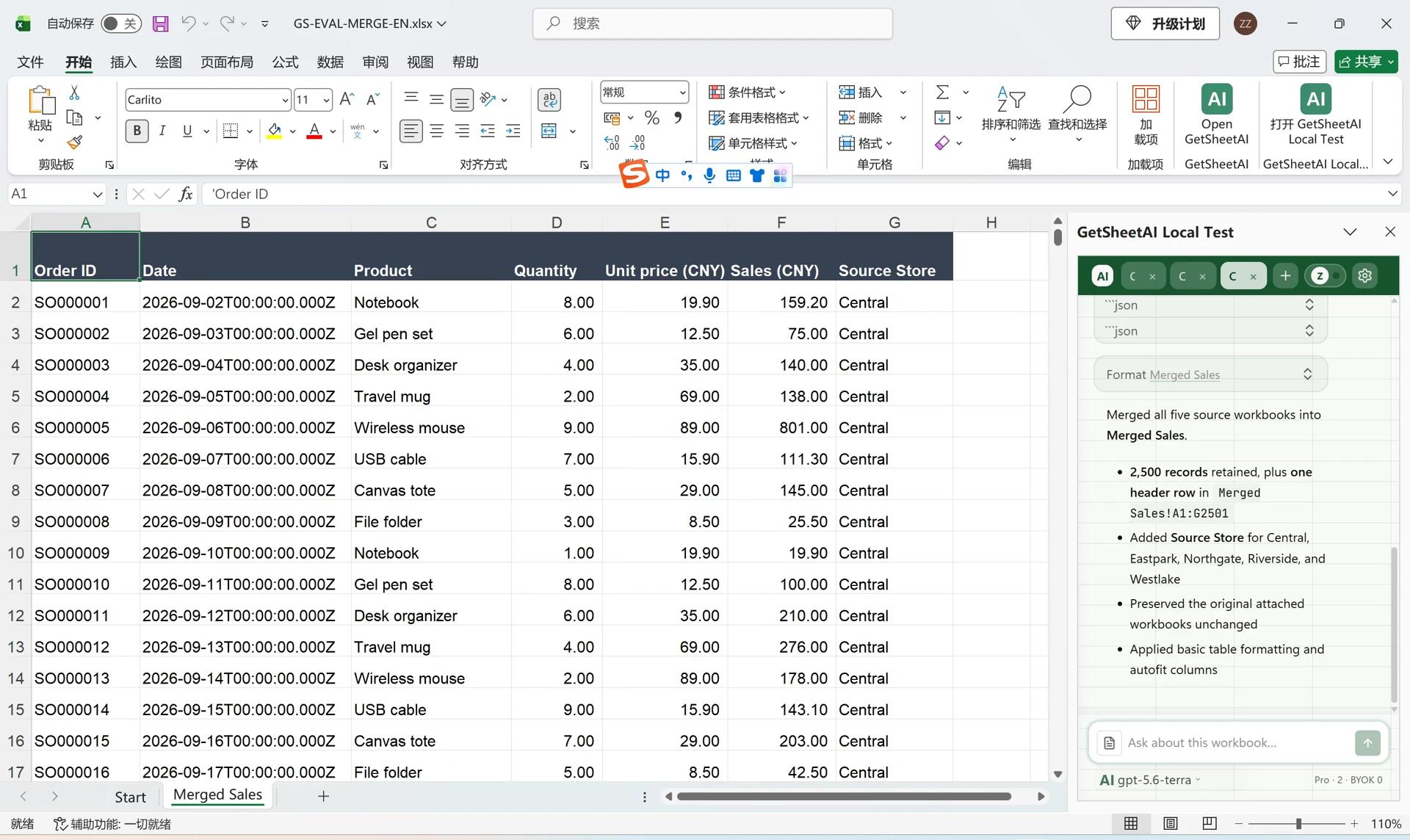
Merge Multiple Excel Files with AI: 5 Store Files, One Sales Table
See how GetSheetAI combines five Excel files into one 2,500-row sales table, keeps a source-store column, and leaves the original files unchanged.
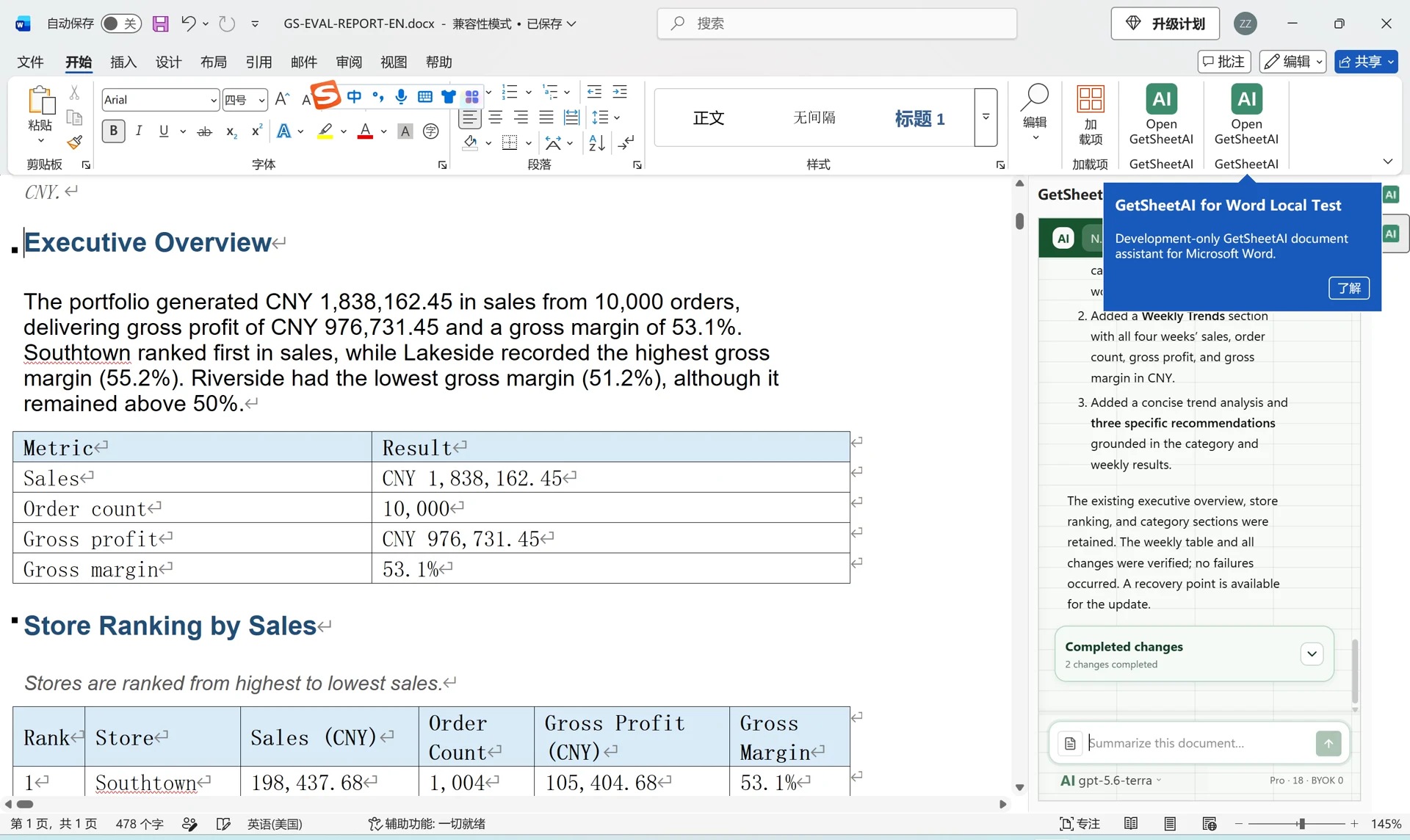
Turn Excel Data into a Word Sales Report with AI: A 10,000-Order Demo
See how GetSheetAI turns 10,000 simulated Excel orders into an editable Word report with store rankings, category analysis, weekly trends, and next steps.
Healthcare Excel Automation with AI: Patient Data, Staffing, Inventory, and Reports
Learn how GetSheetAI supports healthcare Excel workflows for data quality, appointments, patient flow, staffing, quality metrics, medication inventory, equipment maintenance, billing reconciliation, and operational reporting—without starting with complex formulas or VBA macros.
AI Excel for Education: Grades, Attendance, Scheduling, and Reports with GetSheetAI
See how GetSheetAI is developing education-focused Excel workflows for student rosters, gradebooks, attendance, exams, scheduling, staff workload, and school reports—using plain-language instructions instead of complex formulas and macros.
Development Log: What a 120,000-Row Spreadsheet Actually Breaks
A working session on a spreadsheet of 121,254 rows and 1.8 million cells, and the five separate things that had to change before a large cross-table analysis could finish, verify its output, and return a usable formatted report.
Development Log: Large Google Sheets Analysis and Automatically Formatted Reports
How GetSheetAI now routes very large Google Sheets analyses through durable jobs, avoids browser-bridge limits, verifies results, and formats generated reports automatically.
Development Log: A Professional Document Agent for Microsoft Word
A detailed tour of GetSheetAI's recent Word capabilities: document-quality analysis, requirements coverage, citations, comparison, live assistance, visuals, native tables, and recovery.
Development Log: Verifiable Excel Workflows, from Preview to Finished Report
A detailed look at GetSheetAI's new Excel business workflows, safer writeback, automatic recovery, and result-first completion checks — including what the system can and cannot do.
GetSheetAI for Trade Work: The Spreadsheet Assistant I Wish I Had Years Ago
A relaxed, practical look at using GetSheetAI for quotes, orders, inventory, freight, documents, and reports across Excel and Google Sheets.
AI for Excel: Clean Data, Write Formulas and Build Reports
See how GetSheetAI works inside Excel: describe a task, clean existing data, write working formulas and create linked reports. Includes real examples and setup steps.
Remove Duplicates in Excel and Keep the First or Latest Row
Compare ways to find and remove duplicate Excel rows. Review the key, keep the first or latest record, check row counts and understand how Undo works.
VBA vs Office Scripts vs AI Add-ins for Excel Automation
Choose VBA for desktop events, Office Scripts with Power Automate for cloud schedules, or an AI add-in for interactive tasks. Compare limits, maintenance and safety.
Excel Automation Without Macros: 7 Repetitive Tasks You Can Delegate to AI
You don't need VBA to automate weekly report cleanup, formula filling, categorization, and summaries. Seven concrete Excel tasks you can hand to an AI sidebar assistant — and what to check afterward.
How to Open CSV Files in Excel Without Breaking Dates, Leading Zeros, or Encoding
Stop Excel from eating leading zeros, mangling dates, and garbling UTF-8 when you open CSV files. The import workflow that preserves your data, plus AI-assisted cleanup for damaged imports.
XLOOKUP Not Found or Returning 0 in Excel: How to Fix It
Make XLOOKUP return a blank or Not found for missing matches. Learn why it returns 0, handle empty lookup cells, and choose IFNA or IFERROR with examples.
Fill Blank Cells in Excel from Above or Another Sheet
Fill blank cells in Excel with the value above in five steps, or use XLOOKUP to pull missing values from another sheet. Includes formulas and worked examples.
AI Excel Formula Generator: Write Formulas in Plain English
Turn plain English into a working Excel formula using your real sheet structure. See prompt examples, common failure cases, and a 30-second verification checklist.
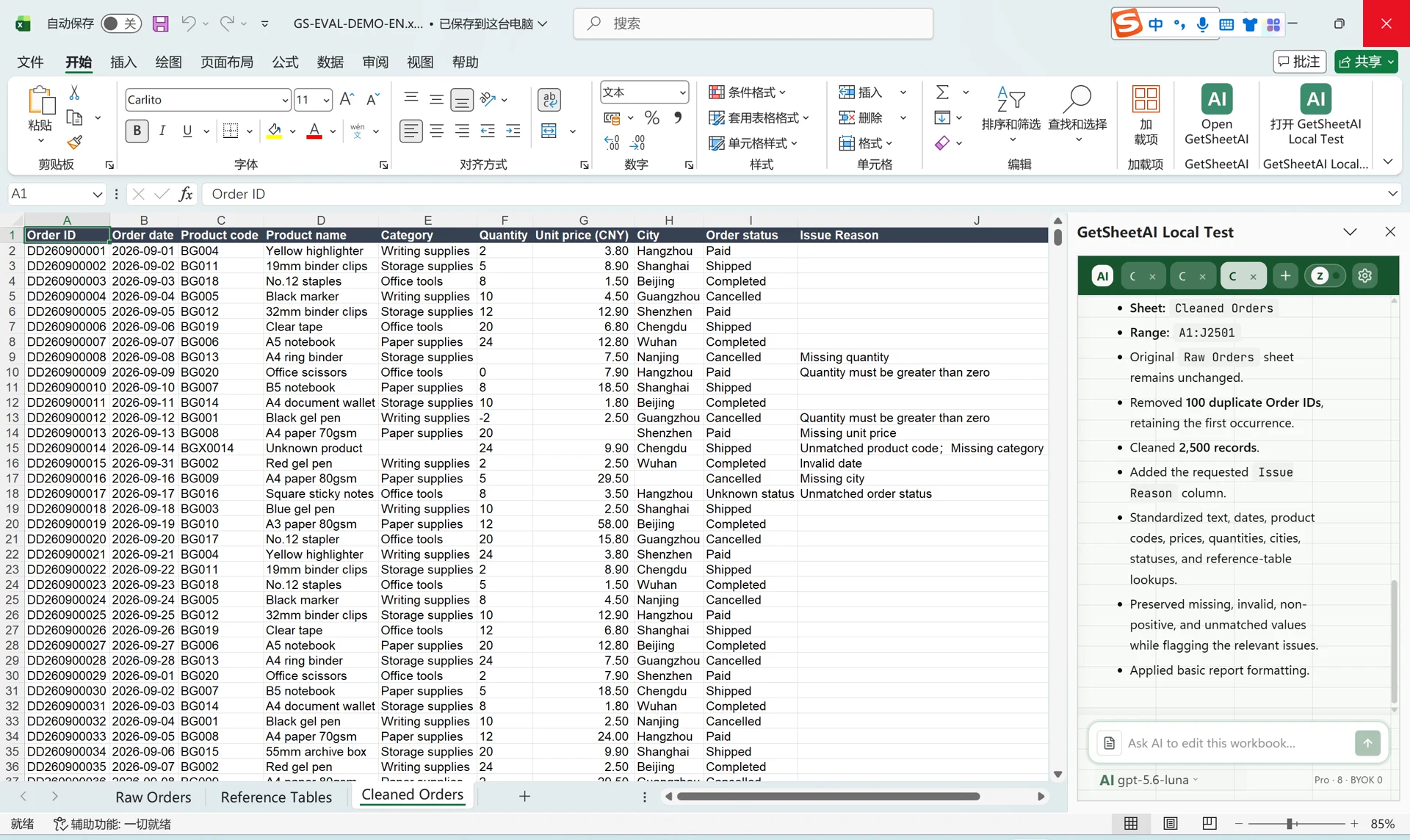
How to Clean Data in Excel: A Practical 8-Step Checklist
Clean Excel data with a practical checklist and a GetSheetAI demo: 2,600 sample orders become 2,500 unique rows, with consistent dates, codes, and numbers.