Match Four Columns Across 3,000 Excel Orders with AI
Use GetSheetAI and GPT to match 3,000 orders to a product catalog, fill four columns, and flag missing product codes without writing lookup formulas yourself.
Real screenshots from a local developer demo using simulated data, not customer records. The original app interface is preserved. Short videos include sped-up processing.
▶ Watch the short demo on YouTubeAn order export gives you the product codes. The catalog has everything else. Now someone has to bring the two together—without moving the orders around.
In this recorded Excel demo, GetSheetAI with GPT fills Product Name, Category, Unit Price and Supplier for 3,000 order rows. You describe the match; GetSheetAI builds and writes the lookup formulas inside the workbook.
The starting point: codes in one sheet, details in another
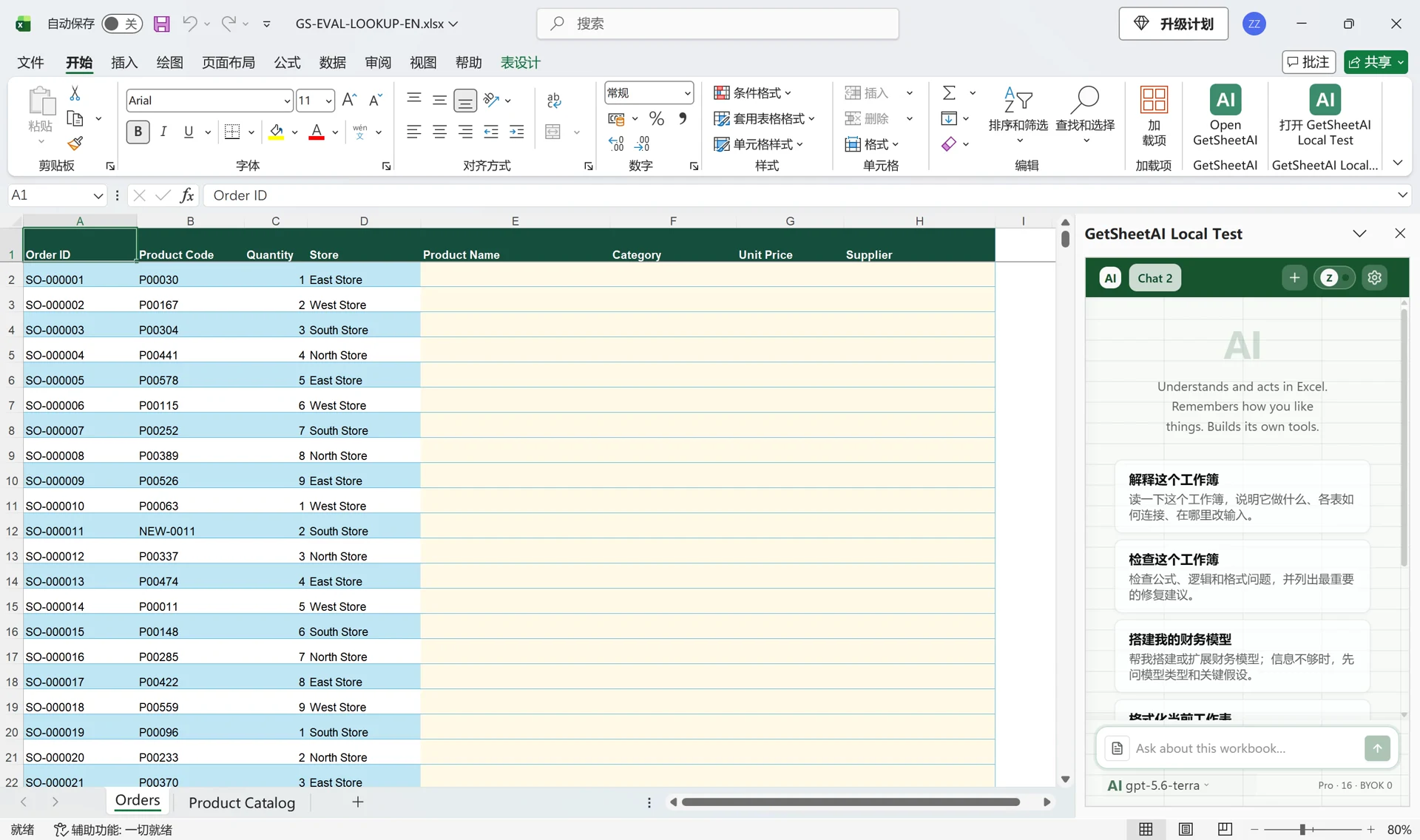
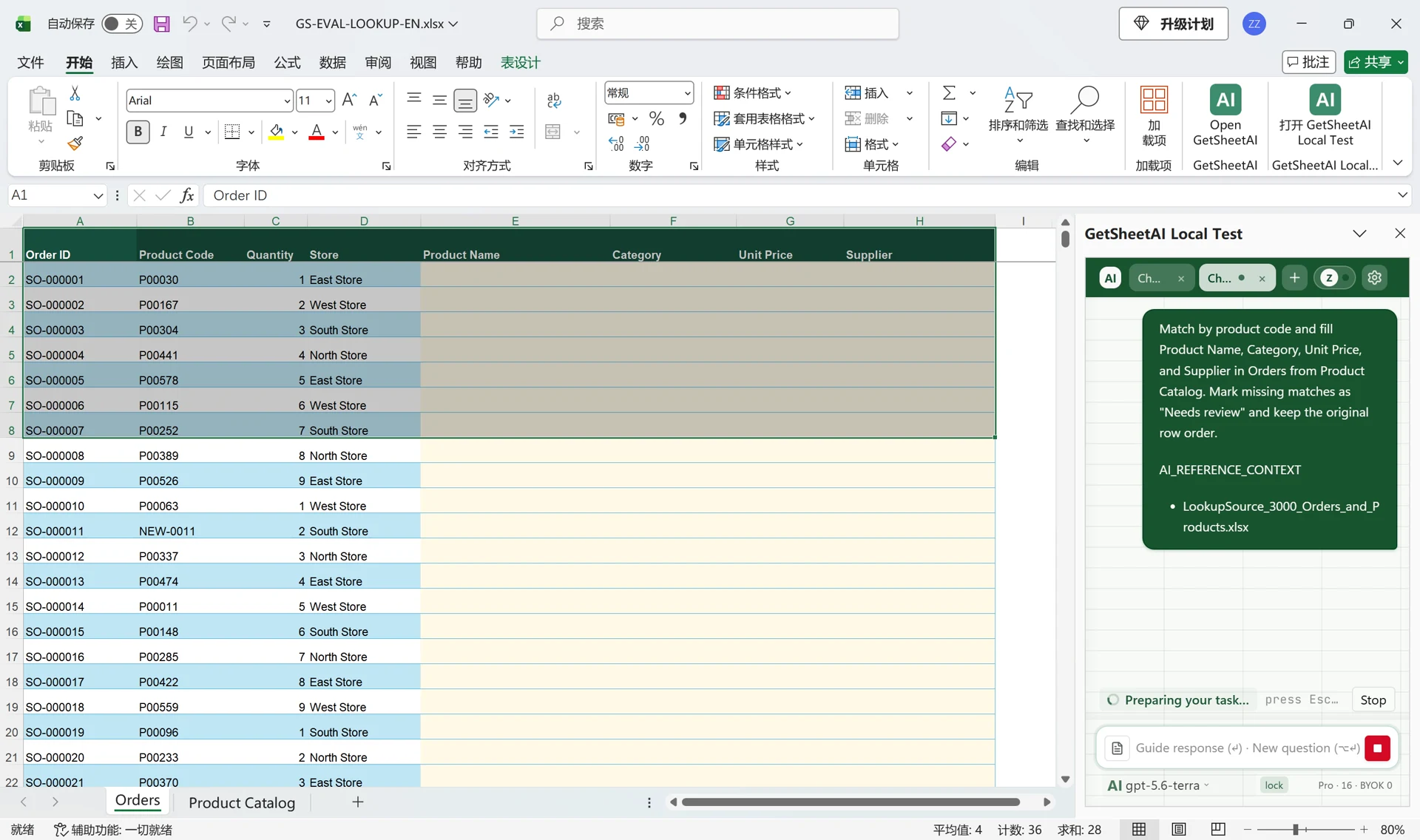
The Orders sheet already contains order IDs, product codes, quantities and stores. Four destination columns are empty. Product Catalog holds the product details. Row positions are not the relationship between these tables: Product Code is.
This is a lookup task, not a merge that stacks files vertically. One order stays one order, in its original position.
The actual request
This is the English instruction used in the recording. Change the sheet names, matching key and destination fields to suit your own workbook.
Match by product code and fill Product Name, Category, Unit Price, and Supplier in Orders from Product Catalog. Mark missing matches as "Needs review" and keep the original row order.
What changed in the workbook
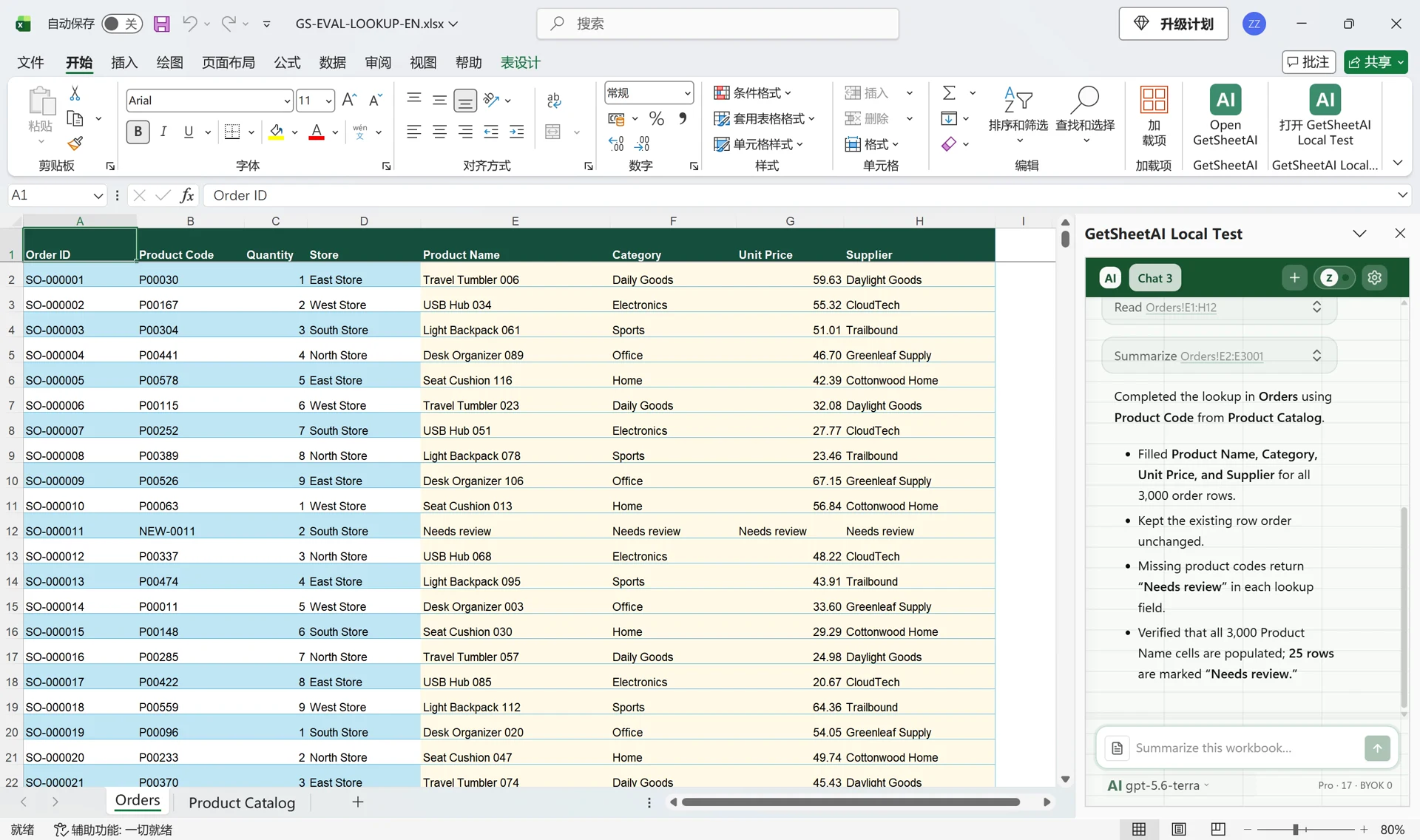
Of 3,000 orders, 2,975 matched the catalog. The other 25 had no matching product code and received “Needs review” in the four destination fields. That label is the requested handling for absent catalog entries, not an invented product or price.
The result covers 12,000 destination cells. The original order and input columns stayed intact, and the product catalog was unchanged. GetSheetAI wrote the lookup formulas; the user did not have to compose four separate formulas and fill them down.
Use the same pattern in your own work
This pattern fits price lists, supplier directories and inventory exports when a stable identifier connects the sheets. Tell GetSheetAI which table supplies the answer, which field identifies a match, which columns to fill, and what should happen when a code is missing.
If your catalog has repeated product codes, first decide which record should win; that is a different rule from the one demonstrated here. For a different task—stacking several exports into one table—see our file-merging case.
Less copying between sheets. More time using the completed order table.