3,000 名学生成绩总评:用 AI 在 Excel 中计算加权成绩和排名
用 GetSheetAI 按学号匹配三张成绩表,计算 20/30/50 加权成绩、三科总分、班级和年级排名,并用状态颜色区分缺考与需要关注的学生。
截图来自开发者本机真实操作,使用模拟数据,不是客户记录;保留原应用界面。短视频包含加速处理片段。
▶ 在 YouTube 观看短视频演示三张成绩表,3,000 名学生,而且顺序并不一致。先按学号把记录对齐,再计算成绩、总分、排名。
这个 Excel 演示把这些步骤交给 GetSheetAI,结果写进新的 Grade Summary 工作表。
先把评分规则说清楚
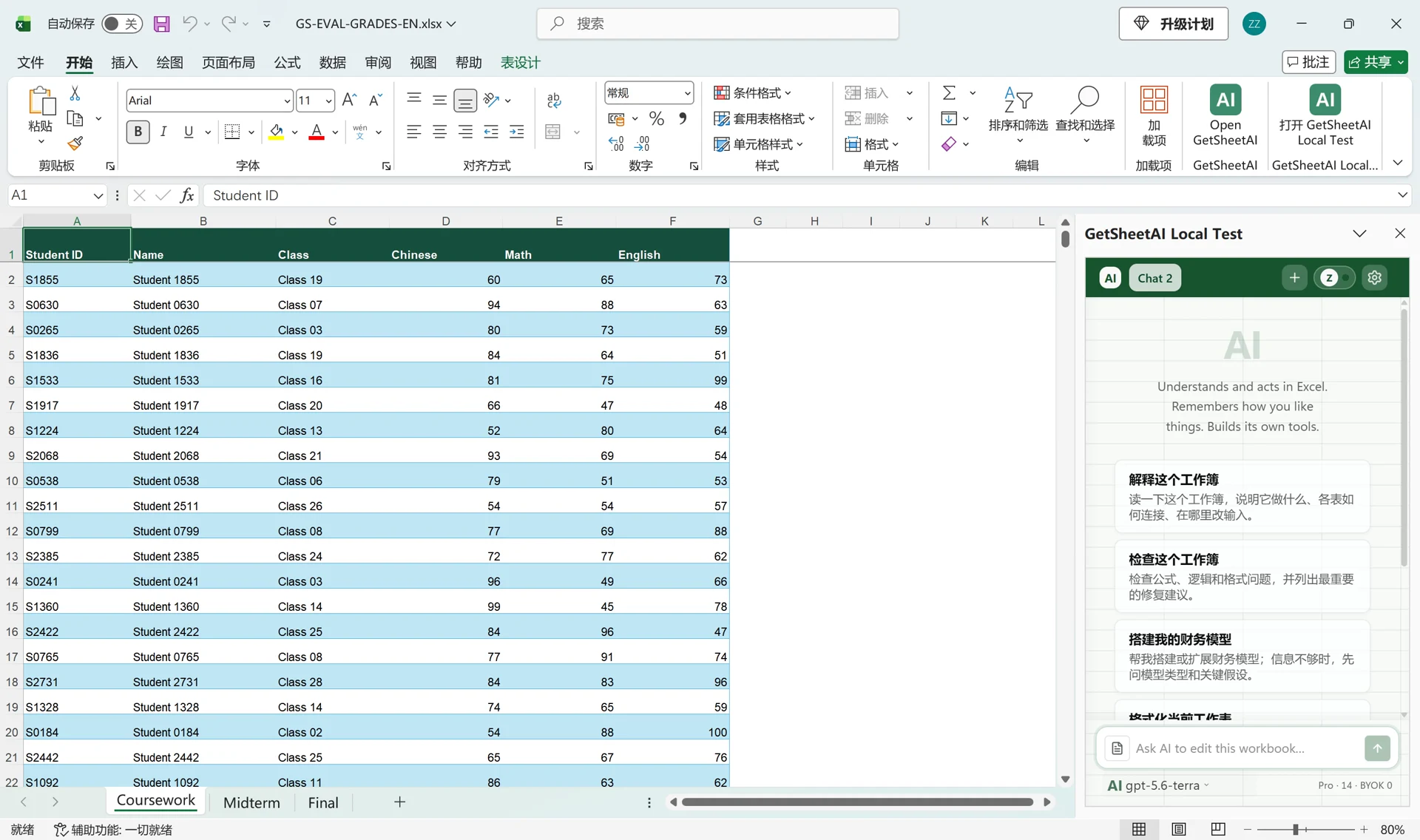
来源是 Coursework、Midterm、Final 三张表,包含语文、数学和英语。工作簿已存在与附件相同的完整数据,因此要求不要重复导入。
每科按平时 20%、期中 30%、期末 50% 计算,四舍五入到一位小数,再相加得到总分。排名按数值总分降序,并列时共享名次、跳过后续名次。
缺考科目标为 Absent,总分和两个排名留空;其他学生任一科低于 60 标为 Needs attention,其余为 Complete。这是本次演示的规则,并非通用评分标准。
实际发送的要求
第一条要求包括匹配、权重、缺考和排名;随后另发一条排版要求,不修改公式或数值。下面保留两条英文原文。
The active workbook already contains all three complete source sheets, identical to the uploaded files; do not import them again. Match the three uploaded grade files by Student ID and summarize all 3,000 students in Grade Summary. For each subject, weight Coursework 20%, Midterm 30%, and Final 50%, rounded to one decimal; calculate the three-subject Total, Class Rank, and Year Rank. Only rows whose Total is numeric may be counted in either ranking; ignore blanks and text totals. Use descending competition ranks (ties share a rank and skip the next). An Absent entry makes that subject grade Absent; leave Total and both ranks blank and exclude incomplete students from ranking. Status is Absent for missing exams, Needs attention if any subject grade is below 60, otherwise Complete; color the status cells pale yellow, pale red, and pale green respectively. Columns: Student ID, Name, Class, Chinese Grade, Math Grade, English Grade, Total, Class Rank, Year Rank, Status. Sort by Student ID and keep source sheets unchanged.
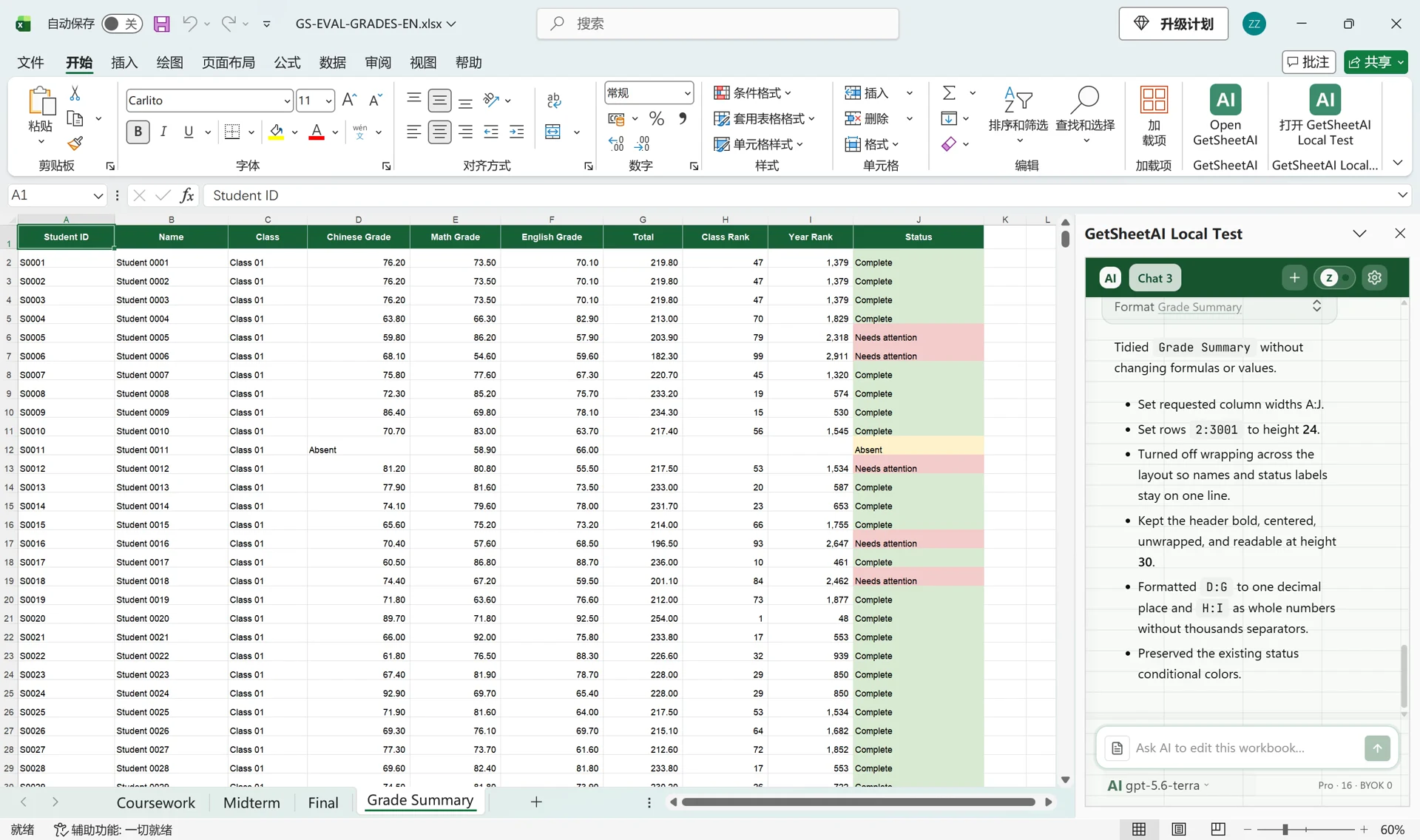
Please tidy the Grade Summary layout without changing any formulas or values. Names and status labels should fit on one line. Use column widths A=17, B=20, C=14, D=18, E=16, F=18, G=14, H=15, I=15, J=23; set rows 2:3001 to height 24, turn off text wrapping, and keep the header readable. Show D:G to one decimal and H:I as whole numbers without thousands separators. Keep all status colors.
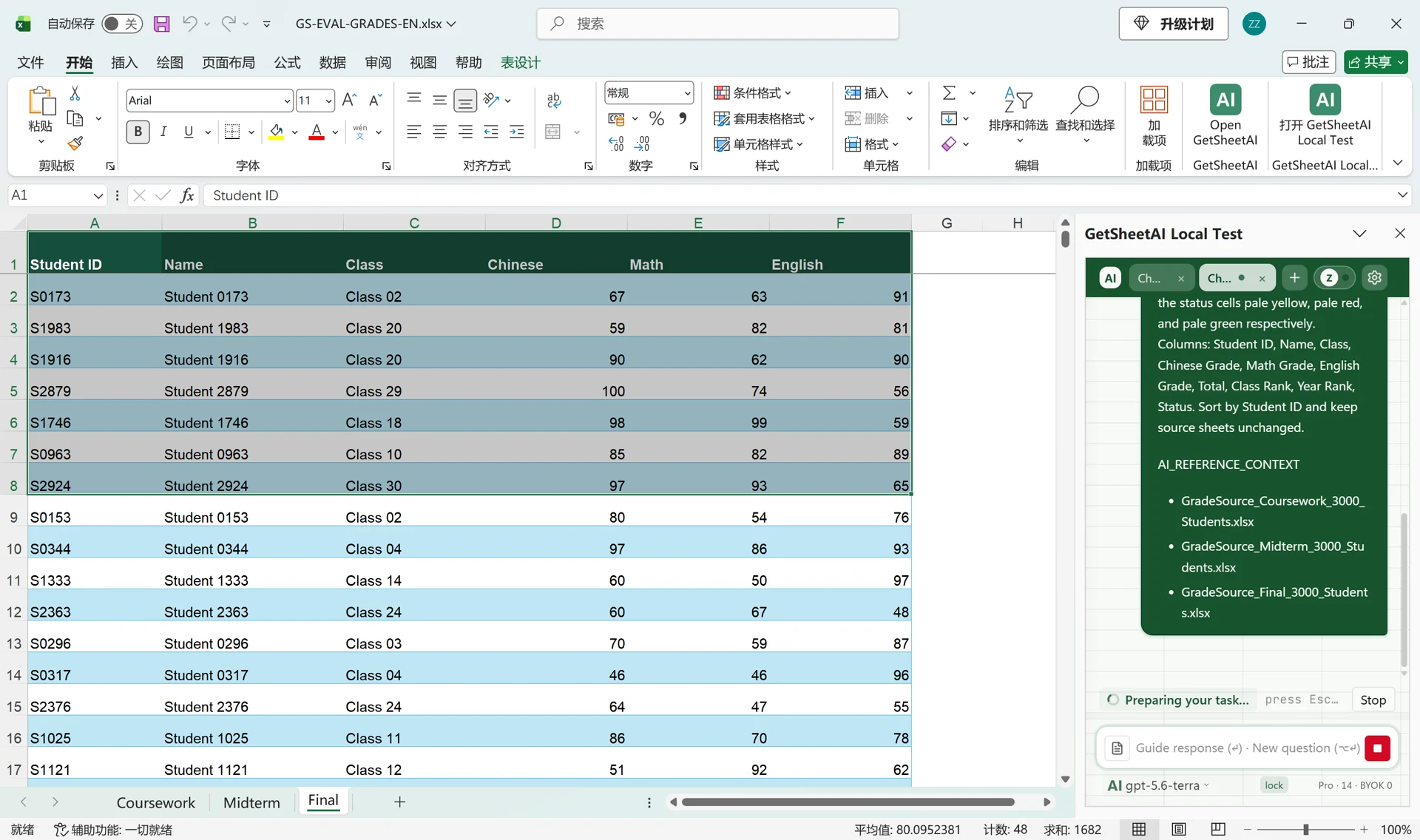
三份名单汇成一张结果表
结果保留 3,000 名学生并按学号排序:2,079 名 Complete、903 名 Needs attention、18 名 Absent。成绩不完整者不参与排名,也不会被当作零分学生。
三张源表未改动。结果用十列展示学号、姓名、班级、三科成绩、总分、两个排名及状态,通过颜色方便筛选不同状态。
换成自己的成绩表怎么用
替换科目、权重、缺考处理和排名规则,提前说明按班级还是年级排名、并列怎样处理。
价值在于减少人工对齐、填公式和整理报表。本案例是开发者本机使用模拟学生数据的真实操作,不是客户案例;录屏包含后续排版要求,不宣称只用一句话或 31 秒完成处理。